Buyer protection
Shop with confidence thanks to a transparent ordering process and reliable support.

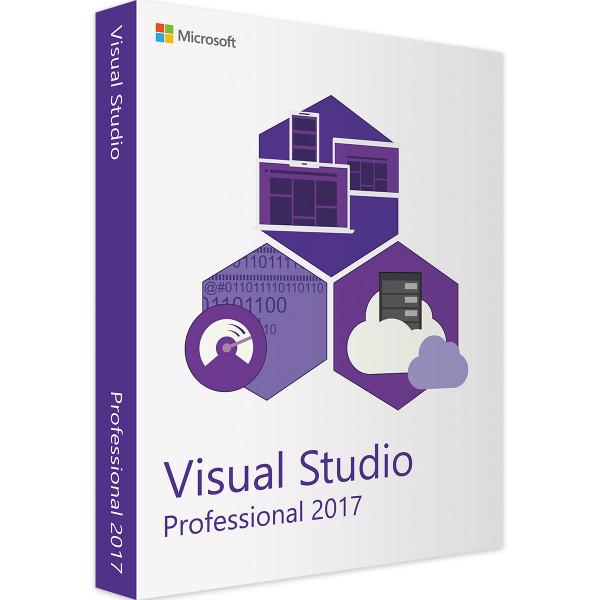
With Visual Studio Professional you can write and publish programs in the programming languages of your choice. Microsoft Visual Studio Pro 2017 supports older languages such as C or C++ as well as current ones such as C#, web languages and Apple's own Metal programming language for iOS out of the box.
Everything from a single source
With Visual Studio Professional you save yourself the cost of additional tools. Create apps and full-blown programs directly in Microsoft Visual Studio Pro 2017, then use the program's precise debugging functions. This makes troubleshooting easier and saves you time in app development and in manually searching for serious bugs.
Test the finished application directly in Visual studio 2017 and work step by step towards a release that is ready for distribution. Also use the improved version control to check all the components of your application and to ensure smooth collaboration with Microsoft Visual Studio Professional 2017.
Simple customisation to your needs
You can customise the basic version of Visual Studio Professional yourself. Program extensions on your own and create a version of Visual Studio Professional that meets your requirements in every area. You can also choose during installation which features you need for your work. This saves storage space when using Visual Studio Professional and lowers the system requirements.
Teamwork made simple
Microsoft Visual Studio Professional 2017 gives you access to an improved Team Explorer. Use it to manage tasks and assign specific tasks to individual members of your group in Microsoft Visual Studio Pro 2017. Microsoft Visual Studio Pro 2017 also has a development progress display, so you can deliver on schedule or, if necessary, revise the schedule directly in Visual Studio Professional.
To ensure successful simultaneous work in Microsoft Visual Studio Professional 2017, Team Explorer also has improved version control. This makes sure that all team members are working on the same version of the current program. Simplifying work in large groups makes using Microsoft Visual Studio Professional 2017 much more intuitive.
€87.99
Download within minutes

Shop securely with SSL encryption.

Download straight after purchase.

Install and activate the software in seconds.
With Visual Studio Professional you can write and publish programs in the programming languages of your choice. Microsoft Visual Studio Pro 2017 supports older languages such as C or C++ as well as current ones such as C#, web languages and Apple's own Metal programming language for iOS out of the box.
Everything from a single source
With Visual Studio Professional you save yourself the cost of additional tools. Create apps and full-blown programs directly in Microsoft Visual Studio Pro 2017, then use the program's precise debugging functions. This makes troubleshooting easier and saves you time in app development and in manually searching for serious bugs.
Test the finished application directly in Visual studio 2017 and work step by step towards a release that is ready for distribution. Also use the improved version control to check all the components of your application and to ensure smooth collaboration with Microsoft Visual Studio Professional 2017.
Simple customisation to your needs
You can customise the basic version of Visual Studio Professional yourself. Program extensions on your own and create a version of Visual Studio Professional that meets your requirements in every area. You can also choose during installation which features you need for your work. This saves storage space when using Visual Studio Professional and lowers the system requirements.
Teamwork made simple
Microsoft Visual Studio Professional 2017 gives you access to an improved Team Explorer. Use it to manage tasks and assign specific tasks to individual members of your group in Microsoft Visual Studio Pro 2017. Microsoft Visual Studio Pro 2017 also has a development progress display, so you can deliver on schedule or, if necessary, revise the schedule directly in Visual Studio Professional.
To ensure successful simultaneous work in Microsoft Visual Studio Professional 2017, Team Explorer also has improved version control. This makes sure that all team members are working on the same version of the current program. Simplifying work in large groups makes using Microsoft Visual Studio Professional 2017 much more intuitive.
| Applications: | Visual Studio |
|---|---|
| Delivery method: | Instant download |
| Language: | All languages |
| Licence term: | Perpetual licence (unlimited) |
| Licence unit: | PC |
| Number of licences: | 1 |
| Operating system: | macOS, Windows |
| Year: | 2017 |
|
Operating system
|
Windows 7 or later, Windows Server 2012
|
|
Processor:
|
At least 1.8 GHz
|
|
RAM:
|
At least 2 GB |
|
Hard disk space:
|
At least 1 GB |
|
Graphics card:
|
DirectX 9-compatible graphics card with a resolution of at least 1,280 x 720 pixels |
Only signed-in customers can write a review.
1 review
27 January 2021 00:00
Sehr schnelle Lieferung. Gute Preise.
Sehr schnelle Lieferung. Gute Preise. Weiter so!