










Buyer protection
Shop with confidence thanks to a transparent ordering process and reliable support.

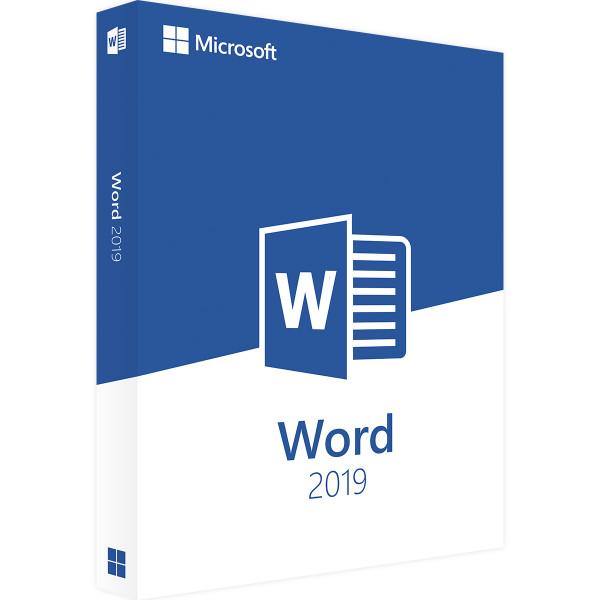
Microsoft Word 2019 is a comprehensive tool for professional word processing at school, at university or at work. The wide range of functions in Microsoft Word 2019 lets you create professional prose, invitations or mail merge letters in no time, even without prior knowledge. The many practical features, such as automatic spell checking, enable inexperienced users to write professional texts and impress with beautifully formatted documents. The intuitive, user-friendly interface of Microsoft Office 2019 makes it quick and easy to get started with this successful word processing program from Microsoft.
The latest version of Microsoft Word stands out with modern additions, such as input using a touchpad or pen. Thanks to its connection to Microsoft's own cloud service OneDrive, Microsoft Word 2019 is also an excellent choice for working quickly and efficiently as a team. Professional users in particular rely on the dependable real-time updating of their text files and the high security standards of Microsoft's own cloud service. Use Microsoft Word 2019 at work to create important business letters, invitations or invoices, and present your results more clearly than ever with the handy SmartArt graphics.
With Microsoft Word 2019 you get a professional word processing program for creating attractively formatted prose, letters, invoices and invitations. Whether you are a beginner or a professional user, you will benefit from its unprecedented range of functions and its many new features.

For Windows only. Using a Mac? See software for Mac
Prices compared
Comparison price: the price of another dealer on 28/10/2026.
Prices of other shops for the same edition, fetched on 21/10/2026 at 20:50.
You save 78 %€12.99
Download within minutes

Shop securely with SSL encryption.

Download straight after purchase.

Install and activate the software in seconds.
Microsoft Word 2019 is a comprehensive tool for professional word processing at school, at university or at work. The wide range of functions in Microsoft Word 2019 lets you create professional prose, invitations or mail merge letters in no time, even without prior knowledge. The many practical features, such as automatic spell checking, enable inexperienced users to write professional texts and impress with beautifully formatted documents. The intuitive, user-friendly interface of Microsoft Office 2019 makes it quick and easy to get started with this successful word processing program from Microsoft.
The latest version of Microsoft Word stands out with modern additions, such as input using a touchpad or pen. Thanks to its connection to Microsoft's own cloud service OneDrive, Microsoft Word 2019 is also an excellent choice for working quickly and efficiently as a team. Professional users in particular rely on the dependable real-time updating of their text files and the high security standards of Microsoft's own cloud service. Use Microsoft Word 2019 at work to create important business letters, invitations or invoices, and present your results more clearly than ever with the handy SmartArt graphics.
With Microsoft Word 2019 you get a professional word processing program for creating attractively formatted prose, letters, invoices and invitations. Whether you are a beginner or a professional user, you will benefit from its unprecedented range of functions and its many new features.
| Applications: | Word |
|---|---|
| Language: | All languages |
| Licence term: | Perpetual licence (unlimited) |
| Licence unit: | PC |
| Number of licences: | 1 |
| Operating system: | Windows |
| Year: | 2019 |
|
Operating system
|
Windows 10 or later,
Windows Server 2019, 2022 or 2025
|
|
Processor:
|
1.6 GHz or faster, 2 cores
|
|
RAM:
|
4 GB (64-bit), 2 GB (32-bit) |
|
Hard disk space:
|
At least 4 GB |
|
Graphics card:
|
DirectX 9 or later, with WDDM 2.0 or later |
|
Display:
|
At least 1280 x 768 pixels |
Only signed-in customers can write a review.
8 - 10 of 128 reviews
16 May 2021 00:00
Bin sehr zufrieden, kann ich empfehlen.
Bin sehr zufrieden, kann ich empfehlen.
11 May 2021 00:00
Habe ausersehen eine Version gekauft, welche mit meinem Betriebssystem nicht kompatibel war. Supp...
Habe ausersehen eine Version gekauft, welche mit meinem Betriebssystem nicht kompatibel war. Support hat innerhalb weniger Stunden geantwortet und den Kauf direkt storniert. Alles ohne Probleme.
3 May 2021 00:00
Super schnell geliefert, vielen Dank
Super schnell geliefert, vielen Dank
3 May 2021 00:00
Alles bestens.
Alles bestens.
26 April 2021 00:00
Lieferung und Ware sehr gut
Lieferung und Ware sehr gut
21 April 2021 00:00
toller Service, sehr zu empfehlen!
toller Service, sehr zu empfehlen!
14 April 2021 00:00
Keine Besonderheiten, alles i.O.
Keine Besonderheiten, alles i.O.
13 April 2021 00:00
just happy ....
just happy .... brilliant company
10 April 2021 00:00
Anfangs etwas schwierig, jetzt soweit okay.
Anfangs etwas schwierig, jetzt soweit okay. Leider keine Rechnung dazu.
9 April 2021 00:00
Die Software konnte direkt heruntergeladen werden.
Die Software konnte direkt heruntergeladen werden. Aktivieren ging Problemlos.
Click-to-Run is the technology used to install products from the Office 365 subscription and most versions of Office 2013 and later.
Windows Installer technology (MSI) was used to install the volume licence editions of older versions of Office 2016, such as Microsoft Office Professional Plus and Microsoft Office Standard.
You cannot install the same version of Office products that use two different installation technologies on the same computer.
This also applies to standalone applications such as Word, Excel, PowerPoint, Outlook, Publisher, Access, Visio, Project, Skype for Business or OneDrive for Business.


